WhatsApp Business for restaurants: where to start.
App or API, number, profile, message templates and the 24-hour rule: what you need to take bookings on WhatsApp, explained simply.
Your guests are already on WhatsApp
Most of your guests have WhatsApp on their phone and open it several times a day. A message from your restaurant lands in the same place as their chats with friends and family. They can answer when they like, in writing.
Here is where to start.
The app or the API: two WhatsApp Business
The WhatsApp Business app is free and runs on one phone. It is fine to get started. But everything depends on whoever holds the phone: when they are on the floor, on holiday or at home, nobody answers.
The WhatsApp Business Platform, also called the API, goes through a provider approved by Meta. Several people can reply from a computer or a tablet, replies can go out on their own, and WhatsApp connects to your tools: booking system, phone line, Google listing. This is what Répondia uses, as a Meta-approved tech provider.
Which number to use?
The easiest for your guests is the number they already know, your restaurant's. With the API, a landline can receive WhatsApp messages. Verification then happens with a voice call instead of a text.
Avoid the manager's personal mobile. The day they move on, the conversations leave with them.
Get the profile right
It is your restaurant's business card on WhatsApp. Fill in:
- the venue's exact name and its logo;
- the address and opening hours;
- a link to your website and your menu;
- a short description: the food, the neighbourhood, the terrace or the Sunday brunch.
The 24-hour rule and message templates
This is the rule that matters most. When a guest writes to you, you have 24 hours to reply freely. After that, or to write first, you need a message template: a text approved in advance by Meta.
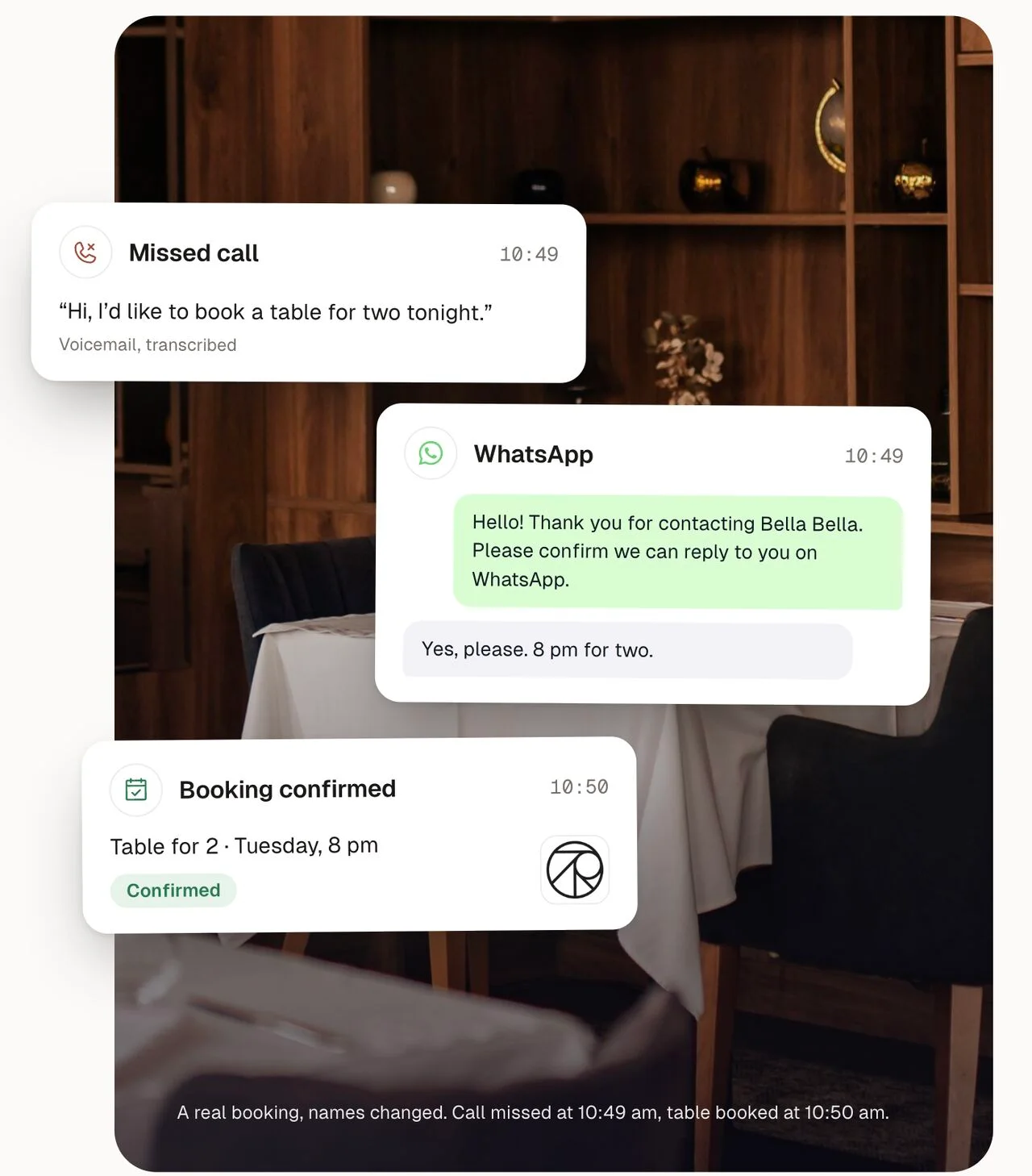
The message sent after a missed call is a template. For example: "Hello, we missed your call. Would you like to book a table?" As soon as the guest replies, the conversation is open for 24 hours.
Meta sorts templates by purpose: a service message, like a booking confirmation, or a marketing message, like an offer. WhatsApp also asks for the guest's consent before you write to them. Répondia works within these rules.
Where to show your WhatsApp
- On your Google listing, with a WhatsApp button next to "Call". We explain how in Add a WhatsApp button to your Google listing.
- In your Instagram bio and on your website.
- After every missed call: the guest gets a WhatsApp message and books in writing.
Mistakes to avoid
- Leaving evening and weekend messages unanswered. That is exactly when guests write.
- Replying three days later. The guest has already booked elsewhere.
- Copying bookings into the system by hand. That is where wrong names and times come from.
Répondia takes care of all three. It answers at any hour, within seconds, and enters the booking in SevenRooms, Zenchef, TheFork, Overfull or serVme.
Want to take bookings on WhatsApp? Book a demo →